DevBlog: Production-Grade Django Platform
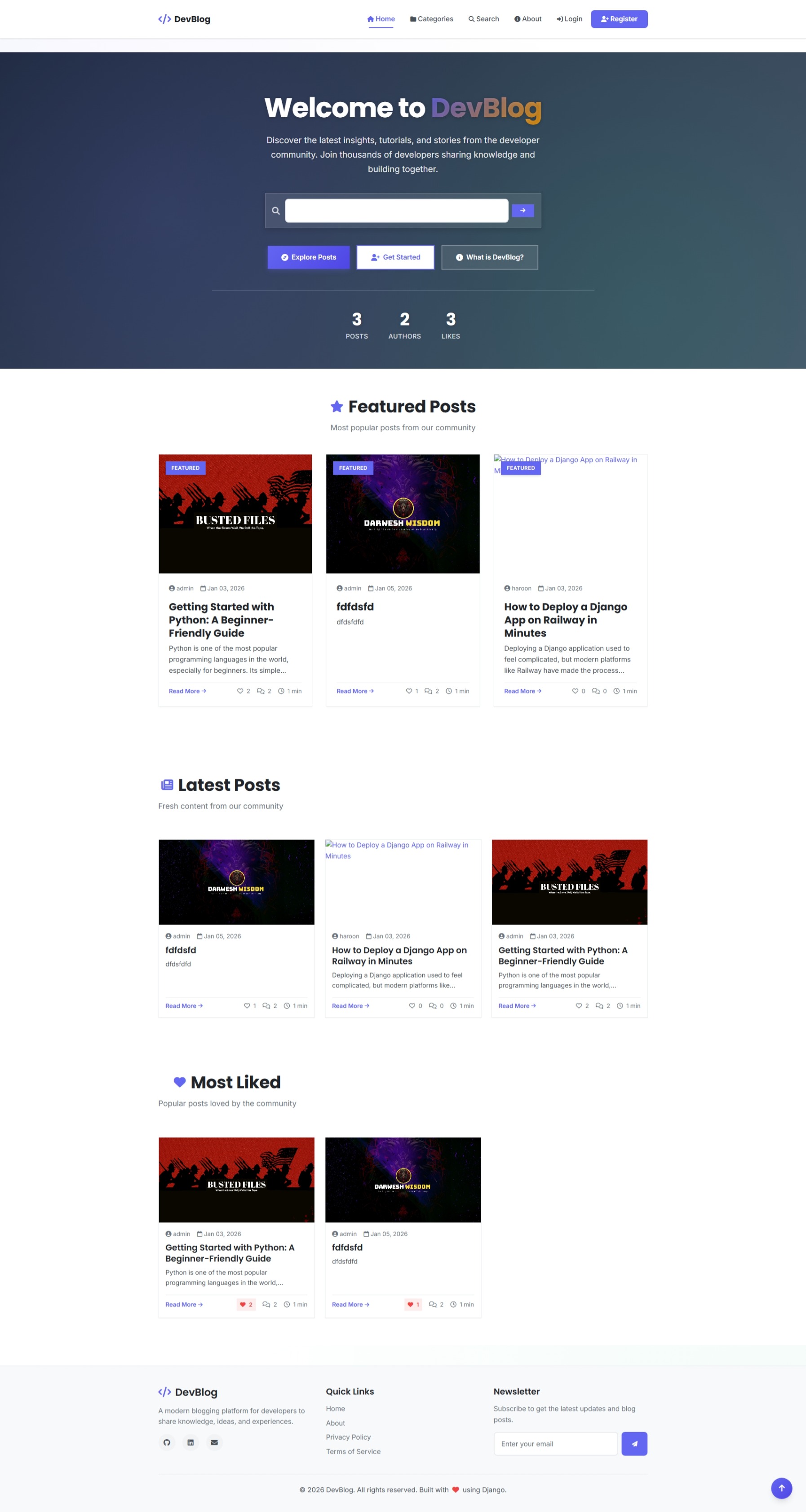
DevBlog is a Django 5 and PostgreSQL blogging platform with rich text editing, draft workflows, AJAX-based comments and likes, secure email authentication, AWS S3 media storage, and automated Railway deployment demonstrating a scalable, production-ready full-stack system.
Building DevBlog: A Production-Ready Full-Stack Django Platform
There comes a time in every developer's journey when they decide to move beyond simple tutorials and build something robust, a platform that not only works but feels professional, responsive, and alive. For me, that project is DevBlog. I wanted to create more than just a place to dump text; I wanted to build a community-focused publishing platform where developers could share knowledge, engage in discussions, and showcase their work with a premium user experience. In this post, I'll take you under the hood of DevBlog, breaking down the features, the tech stack, and the design decisions that went into building it.
The Tech Stack
I chose a stack that balances rapid development with scalability and performance:
- Backend framework: Django 5.2 (Python)
- Database: PostgreSQL (Production) / SQLite (Dev)
- Frontend: HTML5, CSS3, Bootstrap 5, JavaScript (ES6+)
- Cloud Storage: AWS S3 (via boto3 and django-storages)
- Hosting: Railway (PaaS)
- Email Service: SendGrid API
- Static Files: WhiteNoise
Core Features
DevBlog is designed to be a living community platform, not just a static site.
1. Advanced Content Management
At the heart of any blogging platform is the writing experience. I integrated a robust Rich Text Editor (Quill.js) that empowers authors to format posts, embed code blocks, and structure content without touching a single line of HTML.
- Draft & Publish Workflow: Authors can save work-in-progress drafts that are invisible to the public, allowing for a polished editorial process.
- Smart Categorization: I implemented a flexible organization system where posts can be assigned categories and up to 3 tags. The system automatically generates SEO-friendly slugs for every resource.
- Automated Reading Time: To improve UX, I wrote a custom utility that parses post content and calculates an estimated reading time (based on an average of 220 words/minute), giving readers immediate context before they dive in.
2. User Engagement System
I wanted the site to feel alive. Static pages are boring, so I used AJAX and modern JavaScript to create snappy, non-blocking interactions:
- Live Likes: Users can "heart" posts instantly. The frontend uses the Fetch API to communicate with the backend asynchronously, updating the UI without a clunky page reload.
- Threaded Comments: Discussion is rarely linear. I built a recursive comment system that supports nested replies, allowing for deep, focused conversations within the comment section.
3. Secure Authentication & Identity
Security wasn't an afterthought; it was a foundation.
- Email Verification: Utilizing SendGrid, the system enforces email verification before activating accounts, keeping spambots at bay.
- Public Profiles: Every author gets a dedicated identity page featuring their bio, avatar, location, and a feed of their authored content.
Technical Deep Dive
This is where the real engineering happened. I encountered several bottlenecks and architectural challenges that required thoughtful solutions.
1. Solving the "Ephemeral Storage" Problem with AWS S3
One of the first hurdles in cloud deployment (specifically on Railway) is the ephemeral filesystem any file uploaded to the server is lost when the app restarts.
- The Solution: I decoupled media storage from the application server.
- Implementation: I integrated Amazon S3 using boto3 and django-storages. Now, when a user uploads an avatar or a post thumbnail, it streams directly to an S3 bucket.
- Result: Files are persistent, secure, and served via a global Content Delivery Network (CDN), significantly improving load times for end users.
2. Database Optimization & The N+1 Problem
A common performance killer in Django is the "N+1 query problem," where the application fires a separate database query for every single item in a list (e.g., querying the author for each of 10 posts).
- The Fix: I heavily optimized my ViewSets using select_related() and prefetch_related().
Code Insight:
# Instead of lazy loading, we fetch everything in one go:
posts = Post.objects.select_related('author', 'category') \
                    .prefetch_related('tags')
This reduced dashboard page load times drastically by cutting down database hits from ~50 queries to just 2-3 optimized queries.
3. Search & Discovery Algorithms
Content is useless if it can't be found. I implemented a custom search engine using Django's Q objects to perform complex lookups across titles, content bodies, and tags simultaneously.
I also built a "Recommended Content" engine for the homepage that dynamically segments content:
- Featured: Admin-curated top-tier content.
- Trending: Calculated based on engagement metrics.
- Recent: Fresh content from the last 7 days.
Deployment Architecture
I deployed DevBlog on Railway to take advantage of its modern CI/CD pipeline, but it required specific configuration to run a Django app effectively.
- Environment Security: All sensitive keys (SECRET_KEY, DB credentials, AWS keys) are strictly decoupled from the codebase using python-decouple, ensuring no secrets ever leak to version control.
- Static Asset Management: Since I'm not running a separate Nginx server, I used WhiteNoise to allow the Python web application to serve its own static files (CSS/JS) efficiently, with proper caching headers and compression enabled.
- Database: A managed PostgreSQL instance ensures data integrity and scalability far beyond what SQLite could offer.
Conclusion
Building DevBlog was more than just a coding exercise it was a lesson in full-stack architecture. From handling asynchronous JavaScript interactions on the frontend to optimizing SQL queries and configuring AWS buckets on the backend, this project demonstrates my ability to build secure, scalable, and user-centric web applications.
It’s built to scale, built to last, and built to be used.