Building a Weather App That Actually Feels Good to Use
A robust, production-ready weather dashboard that provides real-time data and 5-day forecasts for any global location. Features automatic geolocation detection and a responsive, mobile-first design built with Django and vanilla JavaScript.
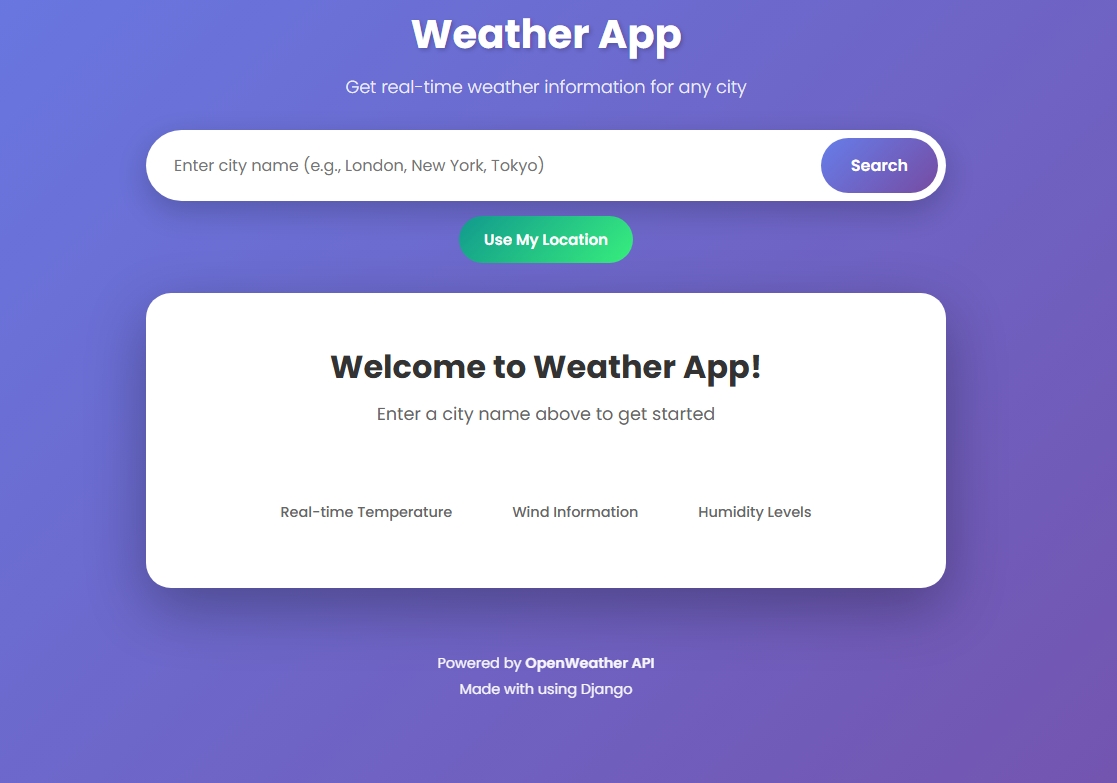
When I sat down to build this weather app, I didn't want to just follow another "Hello World" tutorial. I wanted to create something I'd actually use a clean, responsive dashboard that gives me the info I need without any friction. It was a chance to push my Django skills and build a proper production-ready application.
Why This Project?
We've all seen weather apps before. But the difference between a coding exercise and a real product is in the details. I wanted to challenge myself to handle real-time API data, manage user inputs gracefully, and deploy something that looks great on my phone.
The Tech Stack
- Backend: Python 3.10, Django 4.2.5
- Frontend: HTML5, CSS3, JavaScript
- API: OpenWeatherMap API
- Deployment: Railway (Gunicorn, WhiteNoise)
Building the "Locate Me" Feature
This was easily the most interesting part of the build. I didn't want users to have to type their city every single time. I implemented a "Use My Location" feature using the browser's native Geolocation API. The tricky part was bridging the gap between the client-side JavaScript (which gets the coordinates) and the server-side Django views (which need to fetch the data). I ended up writing a handler that captures the latitude and longitude, then silently passes them to the backend. Handling the edge cases like when a user denies location permissions took some trial and error, but getting that smooth, automatic location detection working felt like a huge win.
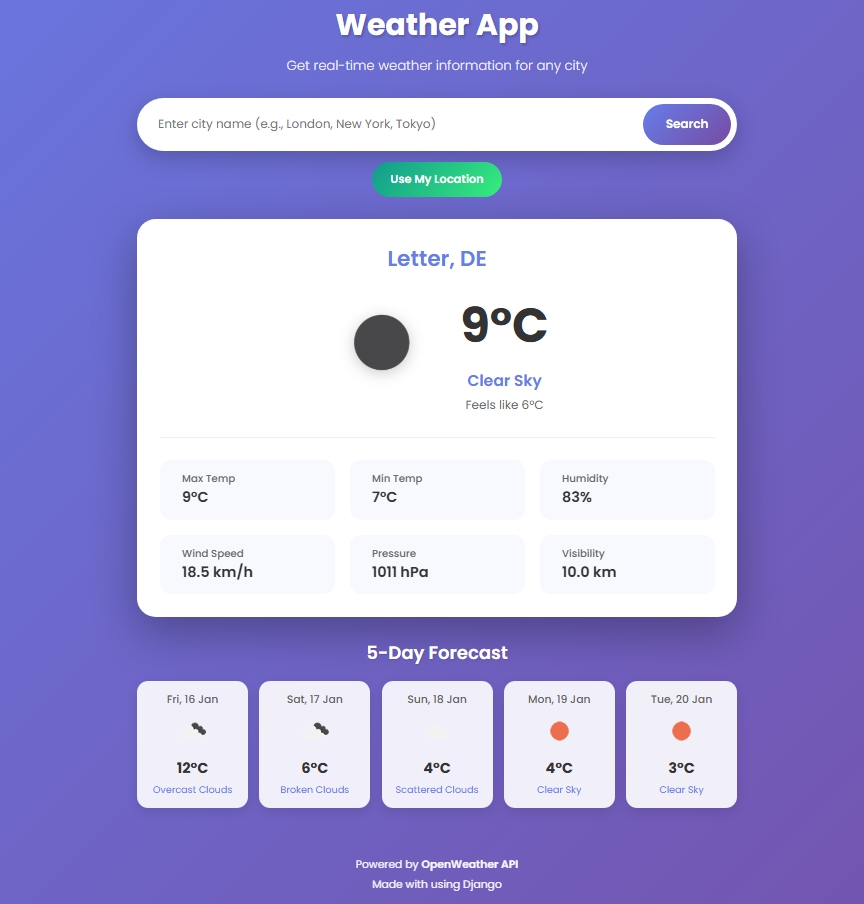
Adding the 5-Day Forecast
Fetching current weather is straightforward, but a forecast is where things get messy. The OpenWeatherMap API returns data in 3-hour blocks, which means you get 40 data points for a 5-day period. I had to write some custom Python logic to parse this stream of data and filter it down. I decided to grab the forecast for noon each day to give a consistent "mid-day" outlook. It turned a chaotic JSON response into a clean, easy-to-read list of cards for the user.
What I Learned
This project reinforced that building simple things well is actually quite hard. Issues like API rate limiting, mobile responsiveness, and meaningful error messages are what separate a demo from a product. I'm pretty happy with how it turned out. The code is clean, the app is fast, and it works exactly how I intended.
Feel free to check out the repo if you're curious about how I structured the API calls or the styling.